Elite Bake Shop App
Android mobile app — Kotlin, Jetpack Compose, and SQLite local persistence
At a Glance
Status
Completed
Timeline
Nov 2025 – Dec 2025
Platform
Android
Team Size
Solo
My Role
Designer · Developer
IDE
Android Studio
Public Repo
Tech Stack
Project Overview
The Elite Bake Shop App is an Android application that allows users to browse a dessert product catalogue, configure a custom cake order (amount and flavour), and submit it for processing. All order data is stored locally using SQLite, making the app fully functional offline with no cloud services.
I built this project for a mobile development final, which deepened my understanding of Android development with Jetpack Compose and gave me practice working with a structured local database from the ground up, without relying on higher-level abstractions.
Goal
I wanted to build a complete, realistic mobile app flow: browsing items, selecting options, validating input, and persisting data across sessions — without using cloud services. The focus was on local SQLite storage: writing the schema, queries, and cursor management directly.
What I Built
- Product listing screen (menu) with item name and details (Jetpack Compose)
- Custom order builder (checkout) with items and amount selection with validation
- Order confirmation and total price summary view
- Order history persisted in SQLite across app sessions
- Basic navigation flow using Compose navigation (Home → Menu → Checkout)
Technical Approach
Jetpack Compose UI
All screens are built declaratively with Jetpack Compose. This was my first substantial project
using Compose, so a lot of early work went into understanding state management — specifically
how remember, mutableStateOf, and state hoisting work together.
SQLite for Local Persistence
I chose to use SQLite directly (through Android's SQLiteOpenHelper) rather than
a higher-level ORM. This required writing raw SQL for schema creation, insertion, and querying —
which gave me a clearer picture of what's actually happening under the hood.
App Demo Video
Menu search in action — browsing and filtering cake menu items.
Screenshots
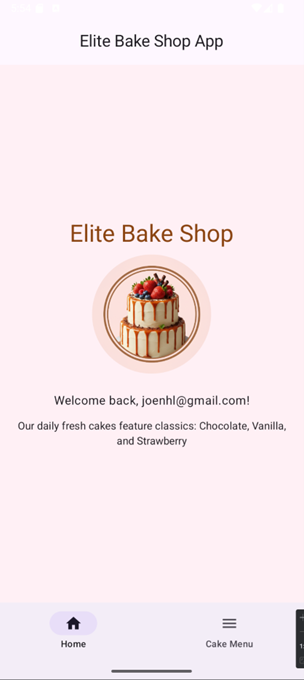
App landing screen with navigation and welcome content.
Proves: Compose UI · Navigation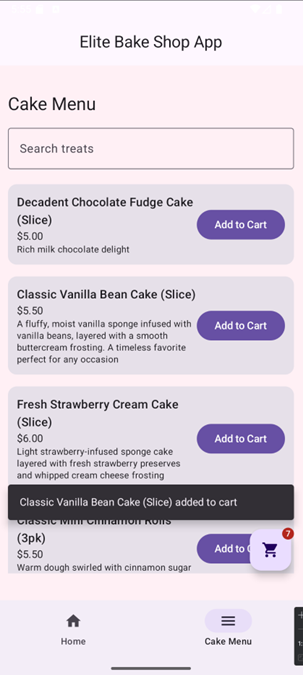
Cake catalogue with categories and item previews.
Proves: Compose UI · Data Display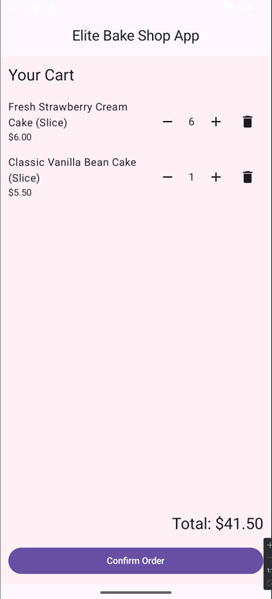
Size, flavour, and topping selection with real-time price update.
Proves: State Management · UX Design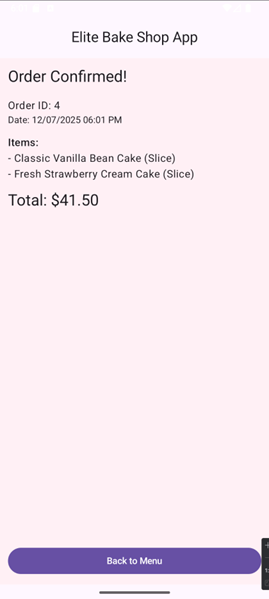
Confirmation screen shown after a successful order submission.
Proves: Full Order Flow · SQLite Persistence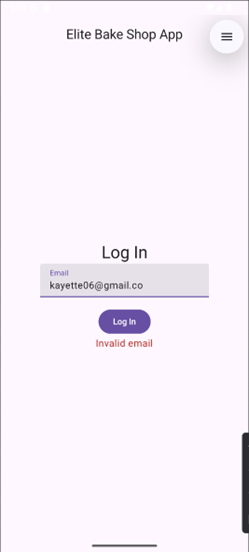
Login screen showing inline error feedback for an invalid email.
Proves: Input Validation · UX Feedback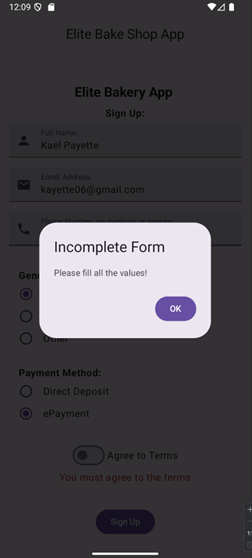
Sign-up screen showing validation feedback for an incomplete form.
Proves: Form Handling · Error StatesChallenges & What I Learned
State management in Compose
Getting comfortable with Compose's reactive state model took real effort. The key insight was that UI should be a pure function of state — once I internalized that, component design became much more intuitive.
Schema design for a real use case
Designing the SQLite schema for orders with multiple customisation options (multi-valued selections) required thinking through normalization and join queries. I made mistakes early and refactored the schema partway through — a useful real-world lesson in planning ahead.
Testing on emulators vs. real devices
Behaviour differences between the Android emulator and a physical device taught me to test both — particularly around touch targets and keyboard behaviour.
Next Improvements
- Migrate from raw SQLite to Room ORM — Room provides compile-time SQL validation, type-safe DAOs, and LiveData/Flow integration, making the data layer much safer and more maintainable
- Implement the MVVM architecture pattern to cleanly separate UI and data layers
- Add input validation with user-friendly error messages
- Introduce unit tests for data-layer logic using JUnit
- Add a simple admin view for browsing and managing submitted orders